
Home / Business Solutions / Pharmacy POS
Pharmacy POS · PharmaCounter
PharmaCounter — pharmacy POS software for medical stores
PharmaCounter is EGuruz’s point-of-sale software for pharmacies and medical stores. It runs on your own shop network, sells by the strip or by the tablet, tracks every batch and expiry date, and keeps the controlled-medicines register for you.
- Works without internet
- Strip and tablet sales
- Batch and expiry tracking
- 80mm thermal receipts
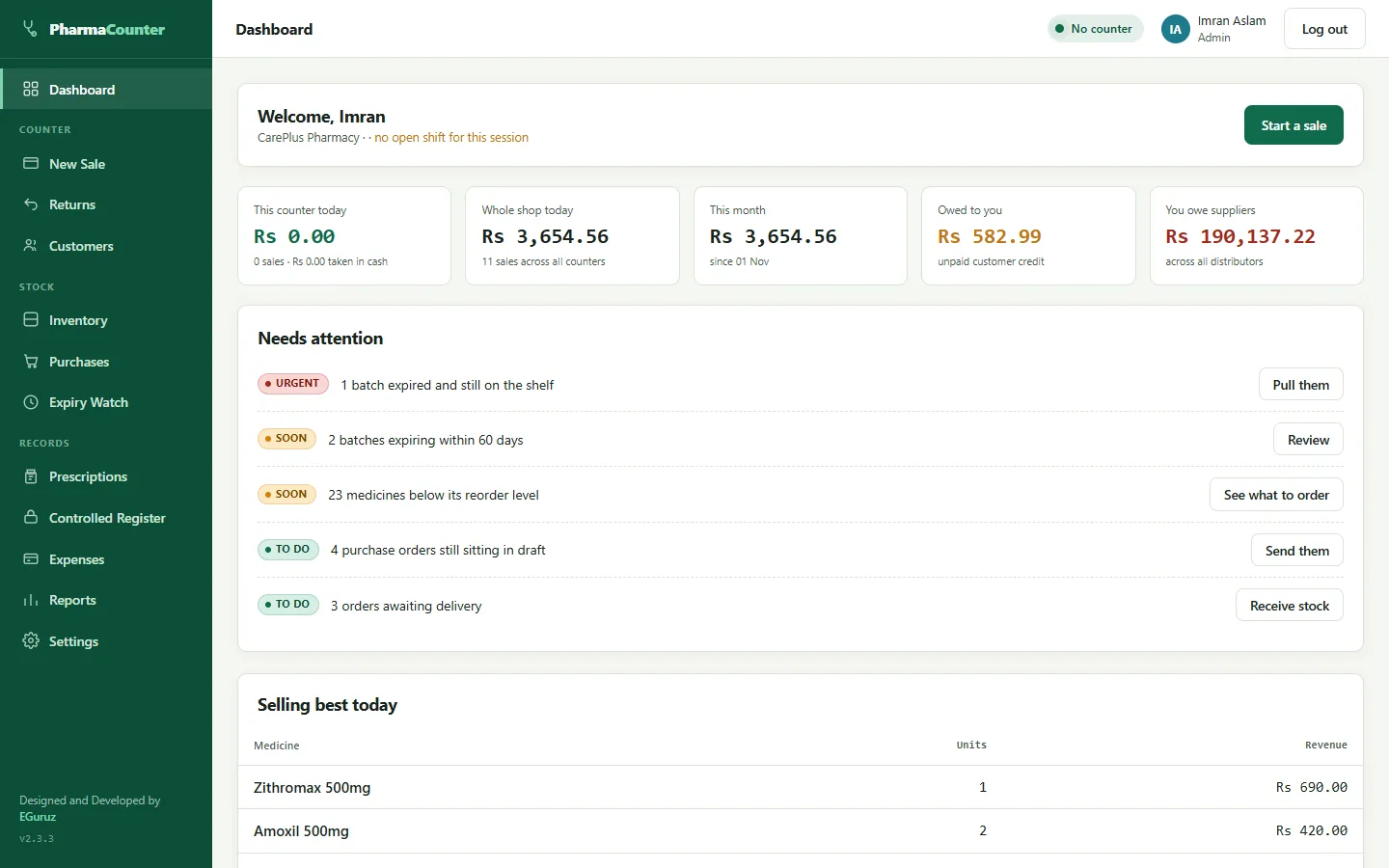
The sales counter
A counter built for a busy pharmacy.
Cashiers find a medicine by name, generic or barcode and see straight away whether it is in stock. The whole sale can be run from the keyboard.
- Sell a whole strip or loose tablets from the same medicine — the tablet price is worked out for you
- Out-of-stock items show in red and low-stock items in orange while you search
- Hold a sale for a waiting customer and resume it from any counter
- Discounts per medicine, per line or on the whole bill — and nothing is sold below cost by accident
- Several counters can sell at the same moment without mixing up stock or invoice numbers
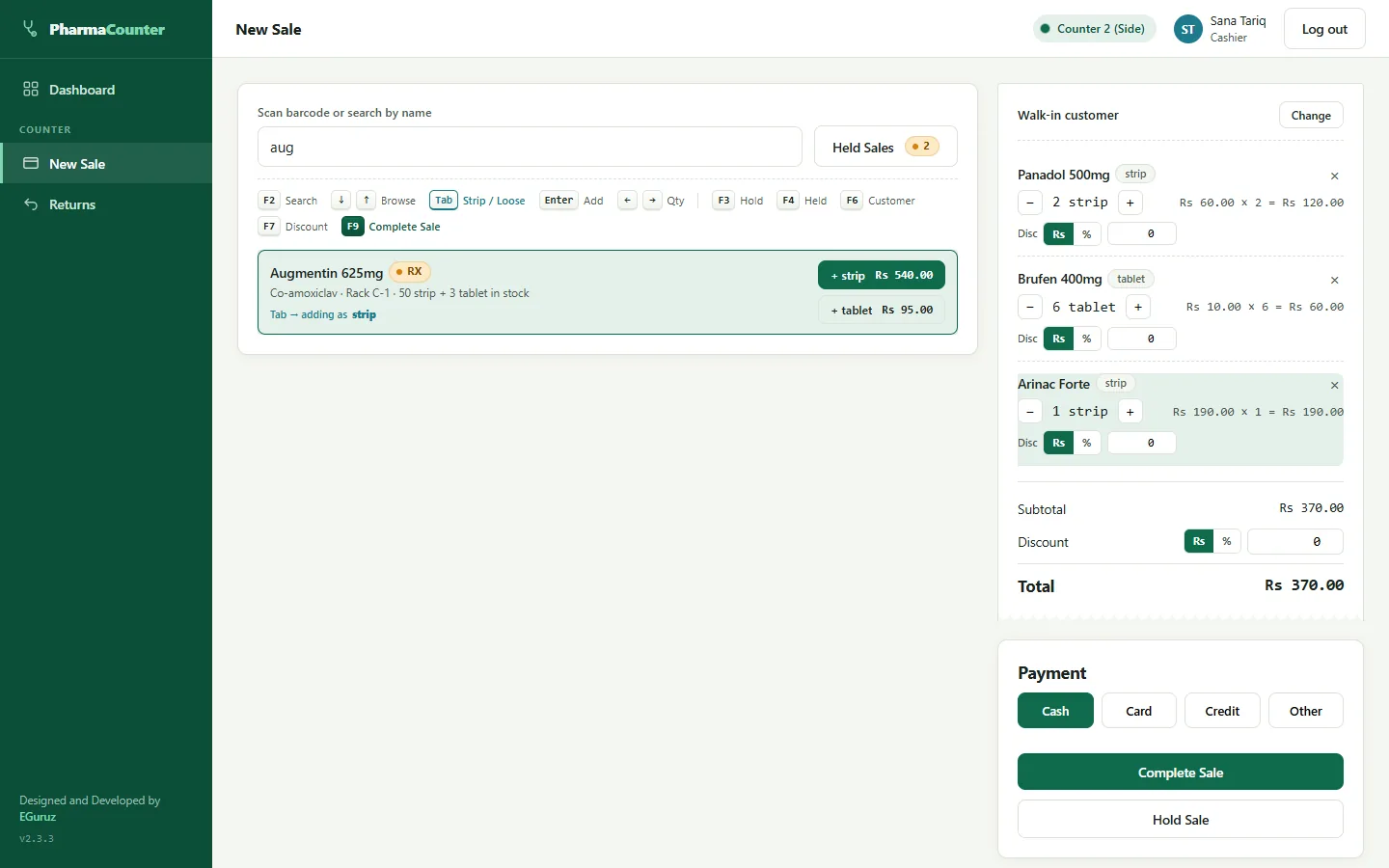

Stock and expiry
Know what is on the shelf — and what is about to expire.
Every delivery is booked in by batch number and expiry date, so the app always knows which stock to sell first and which to pull.
- Oldest stock sells first (FEFO), automatically
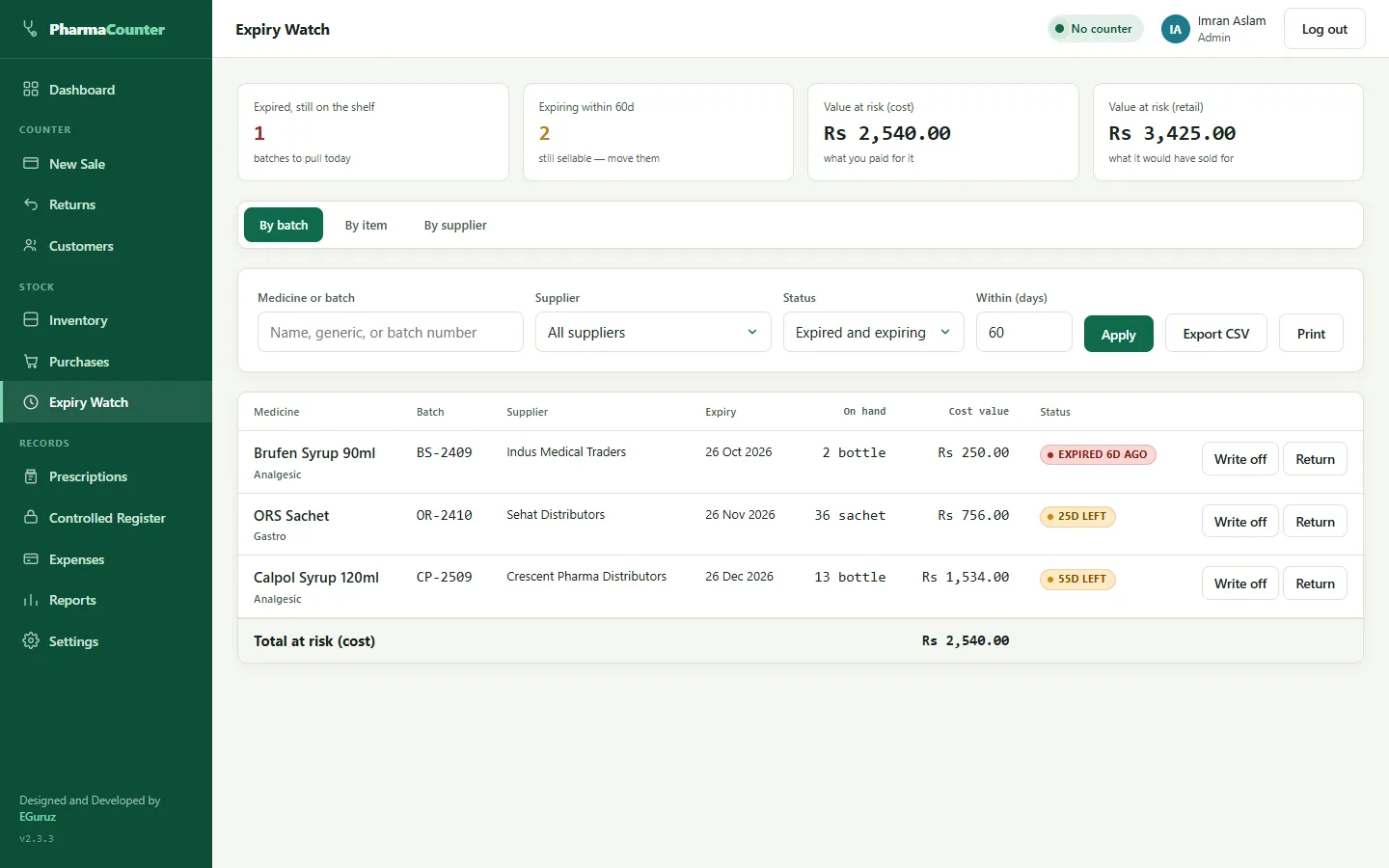
- Expiry Watch lists expired and expiring batches by batch, by medicine and by supplier, with the money at risk
- Write expired stock off, or return it to the supplier with a debit note
- Stock shown the way you count it — “19 strip + 7 tablet”
- Stock corrections are recorded with a reason, so there is a trail
Prescriptions and controlled medicines
The controlled-substances register keeps itself.
Mark a medicine as prescription-only or controlled, and PharmaCounter records what the law expects every time it is sold.
- Controlled medicines need a pharmacist's approval at the counter
- Each sale records the batch, patient, doctor, cashier and approving pharmacist
- Print the register for an inspection, filtered by date, medicine or patient
- Roles for Admin, Pharmacist and Cashier, so cashiers only see what they need

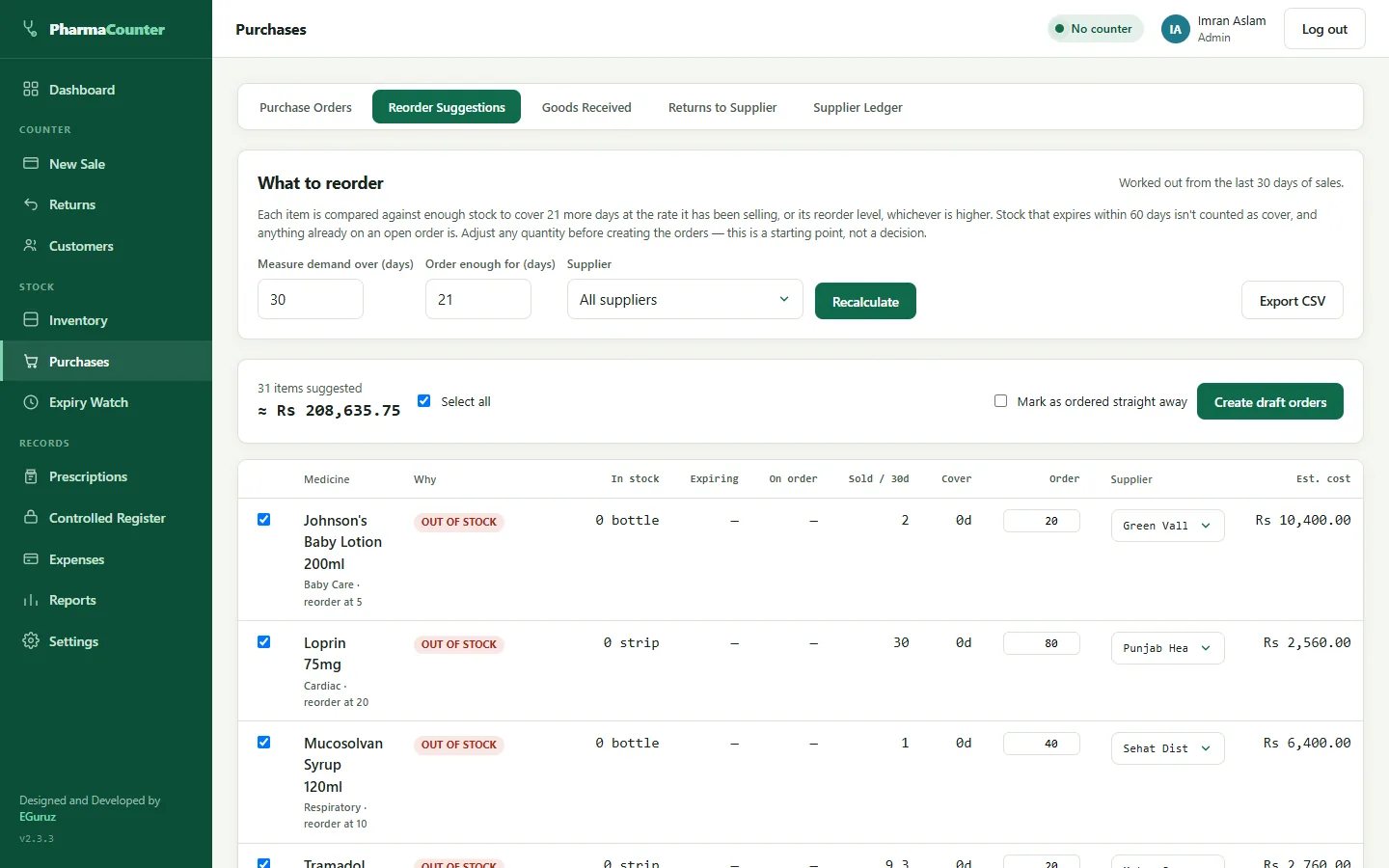
Purchasing
Order what is actually selling.
Reorder suggestions are worked out from your recent sales, not guesswork, and turn into purchase orders in one step.
- Stock that will expire soon is not counted as cover; stock already on order is
- One draft purchase order per supplier, ready to send
- The supplier copy prints without your prices
- Receive deliveries with batch, expiry and free bonus units
- A ledger for each supplier with deliveries, returns, payments and a running balance
Receipts
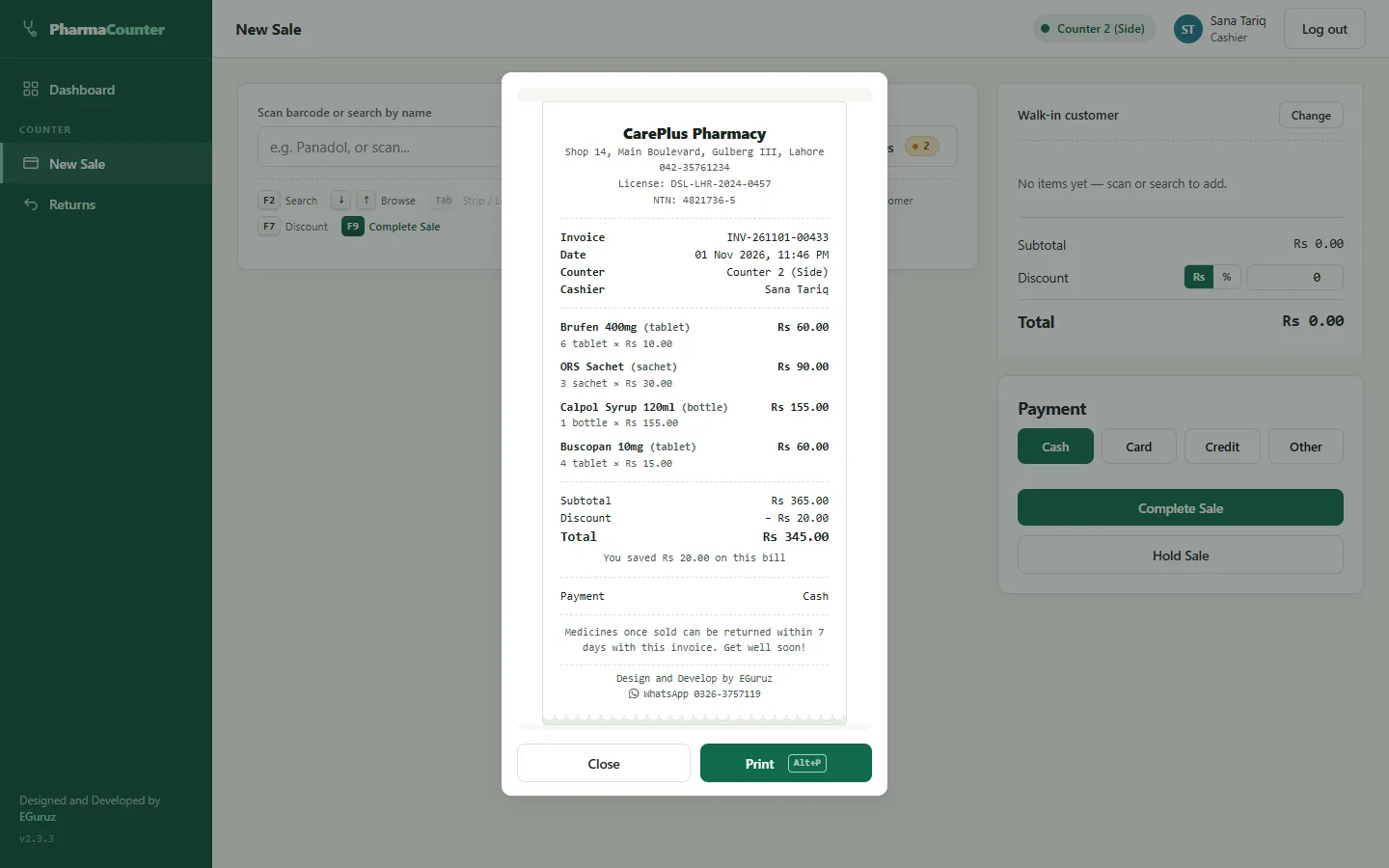
Clear 80mm receipts, printed in a second.
Receipts fit the standard 80mm thermal roll and carry your shop details, licence number and NTN.
- Item and bill discounts shown, with a “you saved” line
- Optional Print Helper prints straight to the thermal printer, with no print dialog
- Urdu shop names and footers print correctly
- Returns produce a numbered credit note on the same roll

Dashboard and reports
See how the shop is doing, any day.
The dashboard shows today at a glance; the reports go as deep as you need, and every one can be printed or exported to CSV.
- Sales, item-wise, supplier-wise and counter-wise reports
- Profit after cost of goods, expenses and refunds
- GST report by rate and by month, when tax is switched on
- Purchases, returns and low-stock reports
Also included
Everything else a pharmacy runs on.
01
Customers and credit
Accounts for regulars with credit limits, payments and a printable statement. Walk-in customers need no account.
02
Returns done properly
Full or partial returns refund what was actually paid, and stock goes back to its original batch.
03
GST when you need it
Off by default. Prices can include tax or add it at checkout, with a rate per medicine if needed.
04
Staff and security
One sign-in per person, accounts lock after five wrong passwords, and an activity log for the owner.
05
Backups
A daily automatic backup or one click, to any folder or USB stick, with restore built in.
06
Shelf labels
Print barcode and price labels on A4 sticker sheets, for one medicine or a whole category.
07
Expenses
Record rent, salaries and bills, so the profit report shows what the shop really kept.
08
Every counter is a browser
Counters, phones and tablets connect over your shop network — nothing to install on them.
09
Shop PC or web hosting
Runs on a shop PC with XAMPP, or on ordinary web hosting with PHP 8.
How it works
From demo to your first sale.
01
See it working
We show you PharmaCounter running with sample pharmacy data and note anything your shop does differently.
02
Set up for your pharmacy
We install it on your shop’s main PC, connect your counters and set up your shop details, staff and receipts.
03
Support and updates
When a new version is ready, it installs over the old one and keeps all your sales, stock and customer records.
Questions
Pharmacy POS questions, answered.
Does PharmaCounter need internet?
No. It runs on your shop’s own network. One PC acts as the server and every counter opens it in a browser, so sales carry on even when the internet is down.
Can I sell loose tablets from a strip?
Yes. Set how many tablets are in a strip and the tablet price is worked out from the strip price, or set your own. Stock is shown as strips plus loose tablets.
How does it handle expiry dates?
Each delivery is received with its batch number and expiry date. The oldest stock is sold first, and Expiry Watch and the dashboard show what has expired or is about to.
Can more than one counter sell at the same time?
Yes. Any PC, phone or tablet on your shop network can be a counter, and stock and invoice numbers stay correct when two counters complete a sale at the same moment.
Does it support GST?
Yes, optionally. Tax is off until you switch it on; you then choose whether prices include tax, set a default rate or a rate per medicine, and get a GST report.
Does it work with FBR digital invoicing?
FBR integration is not part of the standard version. If your pharmacy needs FBR (PRAL) digital invoicing, we can add it and connect it as part of your setup.
PharmaCounter
See PharmaCounter running for your pharmacy.
We’ll show it with sample data and talk through what your shop needs. Looking for something else? See all our business solutions.